
Security Consultant fast-tracks SOC 2 and PCI compliance. For founders who can't afford to wait, by consultants who've done it 100+ times.
TheITIN․com gets non-US founders an ITIN, LLC, and EIN in one application, so you can bank and get paid on Stripe, Amazon, and PayPal.
3 founders sent me their decks this month. All 3 sucked in the exact same way.
Cream background.
Rusty orange accents.
Big italic serif headline.
.png)
No story, no effort, not one sign a human made a single decision. All of them came out of Claude Design.
They’re not fooling anyone.
So the tool makes slop, right? That's what the idiot founders are doing?
well, the problem isn't Claude Design.
The problem is what they fed it: NOTHING.
They followed some dumb YT tutorial ("just pick a template and start prompting!"), got slop, then burned another 500K tokens asking Claude to fix a deck they never set up.
You can't prompt your way out of a deck you gave nothing to.
Why every Claude Design deck comes out looking the same
- They give Claude nothing to work with, so it gives back the cream background and rusty orange everybody else gets.
- Big italic serif headline. Rounded cards. Eyebrow labels with the letters spaced out. Default furniture.
- A soft gradient behind the title slide, because they never said otherwise.
- They re-type the brand rules every new chat, slightly different each time. Deck 3 looks nothing like deck 1.
- They fix the logo on deck 1. They fix the same logo on deck 4. (It remembered none of it.)
- They burn an afternoon and a stack of tokens regenerating slides that were wrong before it started building.
Recognize the palette?
Fixing it takes 15 minutes. You do it once, and you’re basically set. And it doesn’t look like slop (read: sh*t).
The 3 inputs that fix Claude Design
.png)
Each input feeds the next:
- A DESIGN.md file. A plain-text rulebook for how your stuff should look. Claude will make this for you if you need one
- A design system. That rulebook rebuilt into Claude Design's native format.
- A reusable template. A pre-built deck, in your style, that every new presentation starts from.
You build all 3 once and reuse them forever. And while we're talking slides today, the same setup works for carousels, one-pagers, and yes, newsletters.
Input #1: your DESIGN.md file
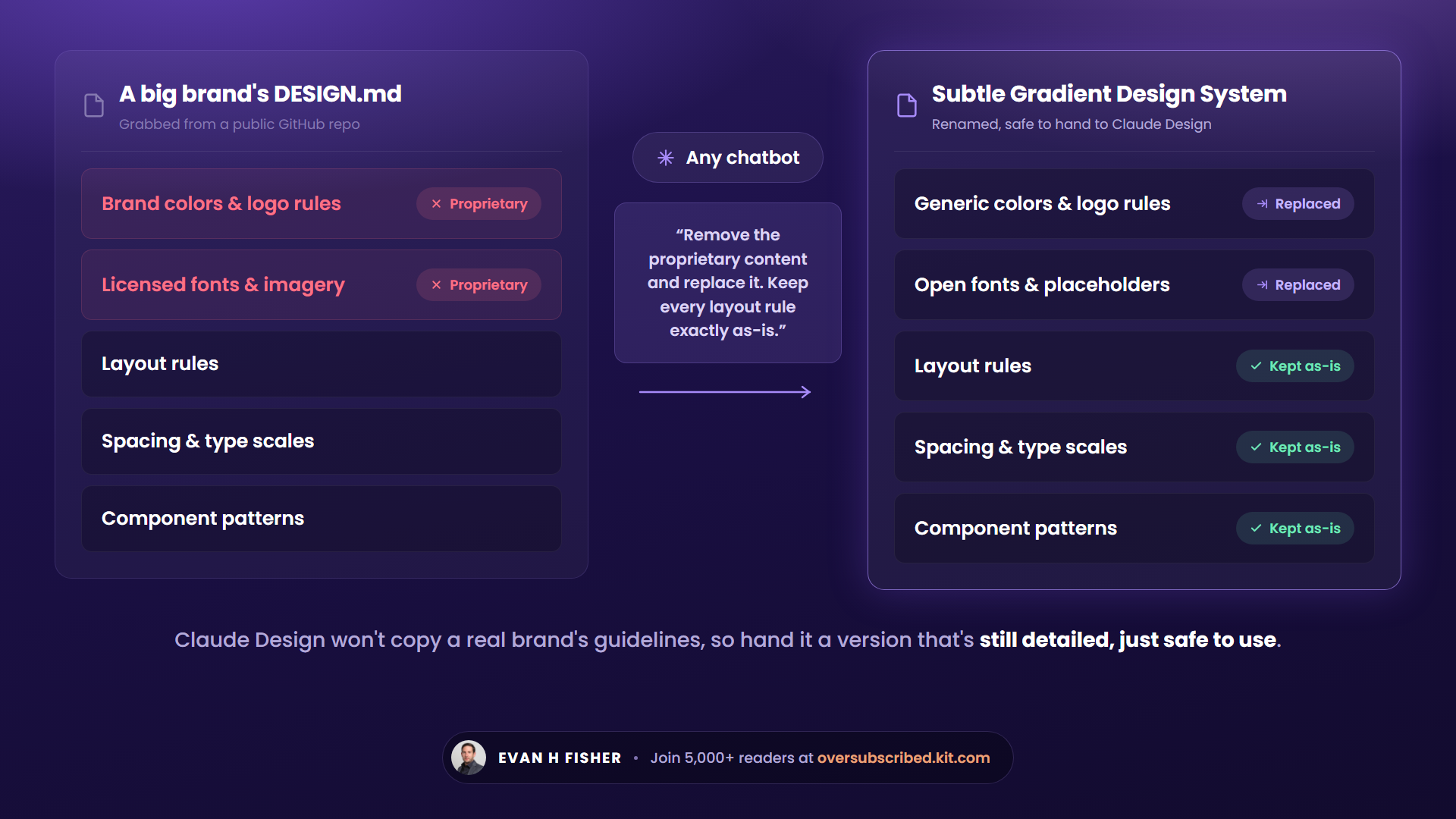
A DESIGN.amd is just a text file spelling out your design rules: exact colors, fonts, spacing, how buttons and cards get styled. It works in any AI tool.
Don't write one from scratch. The awesome-design-md repo on GitHub has free DESIGN.md files from major brands. Grab one, then paste it into any chatbot with this:
"Remove the proprietary and licensed content from this design file and replace them using your own judgment. Keep everything else exactly as-is, including all layout rules, spacing, type scales, component patterns, and design principles, since those aren't proprietary and are the whole reason we're using this file. Then rename it to the Subtle Gradient Design System."
Why the cleanup?
Claude Design flat-out won't copy a real brand's file, so you need something just as detailed that it'll actually use.
And because you’re not a copycat piece of AI garbage.
Input #2: your design system
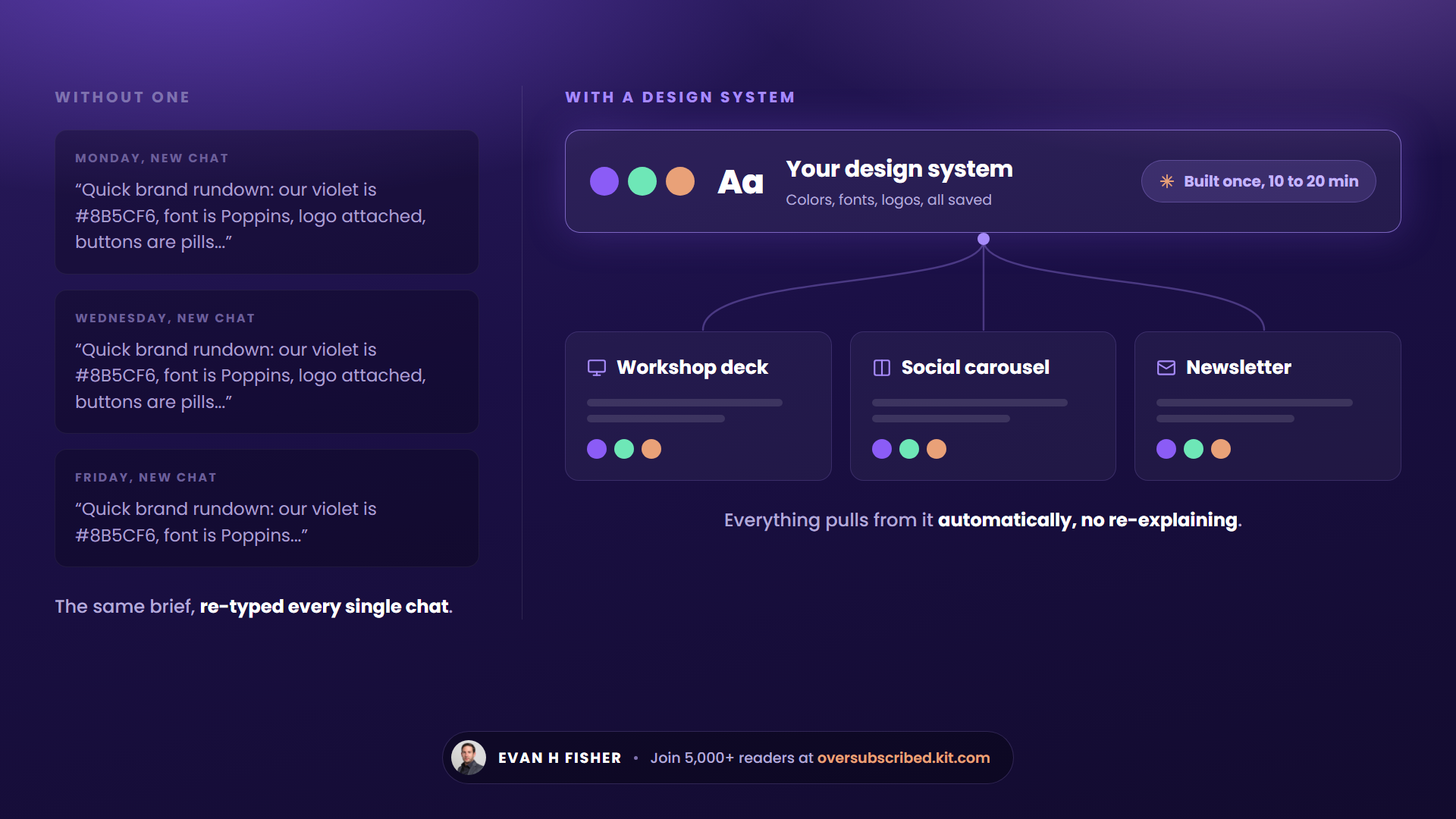
This is your DESIGN.md rebuilt into something Claude Design reads natively. Build it once and everything you generate comes out consistent, without re-explaining your look in every chat.
To build it:
- New chat. Pick the latest Opus (or Fable if you’re on MAX) model, set effort to Max.
- Click "Create Design System."
- Short name, short description, then upload your cleaned DESIGN.md at the bottom.
It takes 10 to 20 minutes to chew through your file and spit out real mockups. Anything you don't like, change with the "Feedback" button in plain English.
Worth the extra 5 minutes: upload your logo, your reusable icons, and a voice file so the copy sounds like you. Every future design pulls them in automatically.
It’s dope.
Input #3: your reusable template
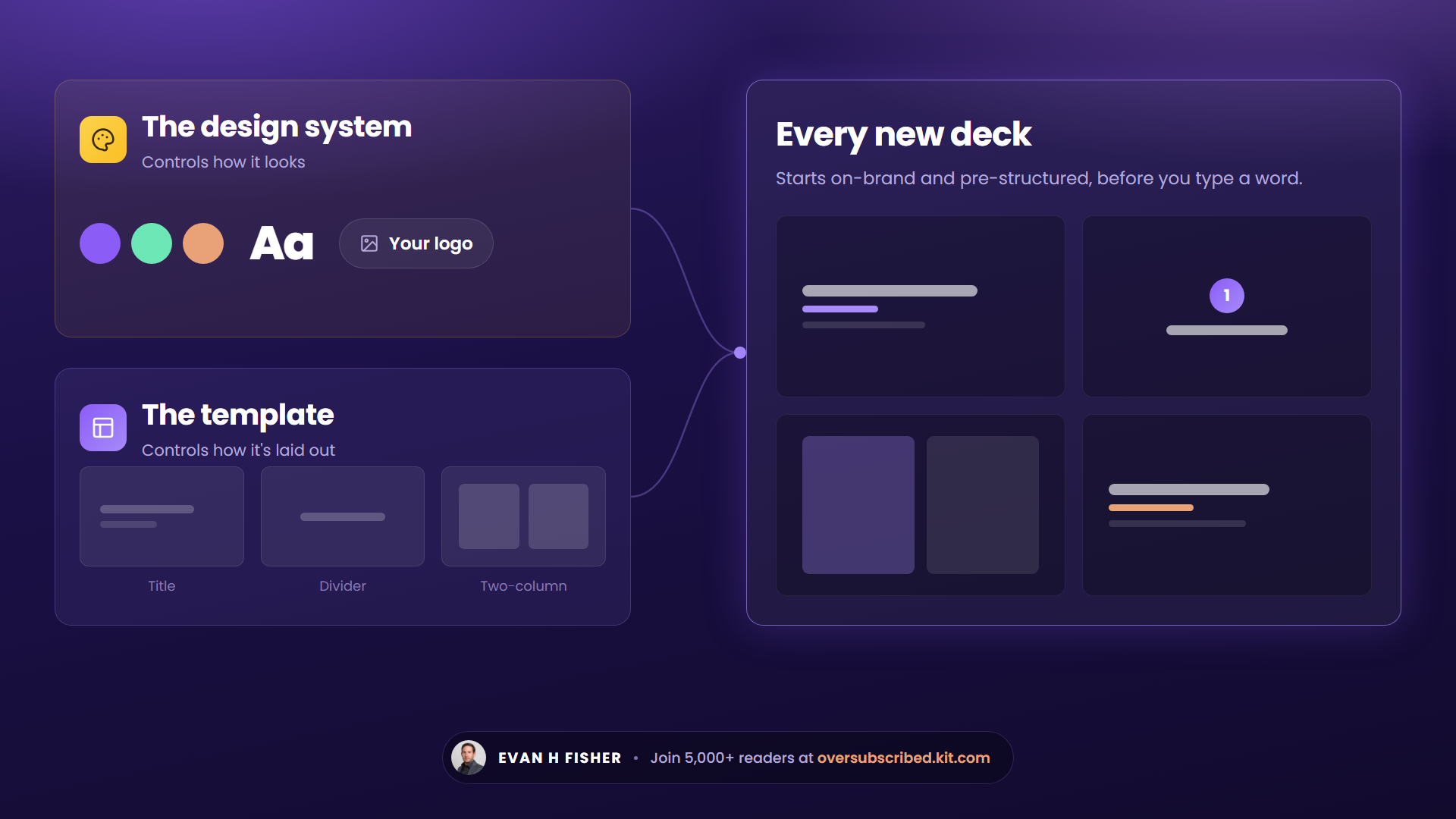
The template is the deck skeleton: title slide, section dividers, a two-column layout.
Keep the two jobs straight: the design system controls how things look. The template controls how a deck is laid out. Together, every new deck starts on-brand and pre-structured instead of naked.
Once the design system looks right:
"Go ahead and build a slide deck template for [what you present most]. You pick the number of slides."
Refine it with feedback before you move on. Every future deck references this one, so fix it before deck 6 inherits it.
Generate your first deck
Back on the homepage: select your design system, select the template, attach your talking points, and send:
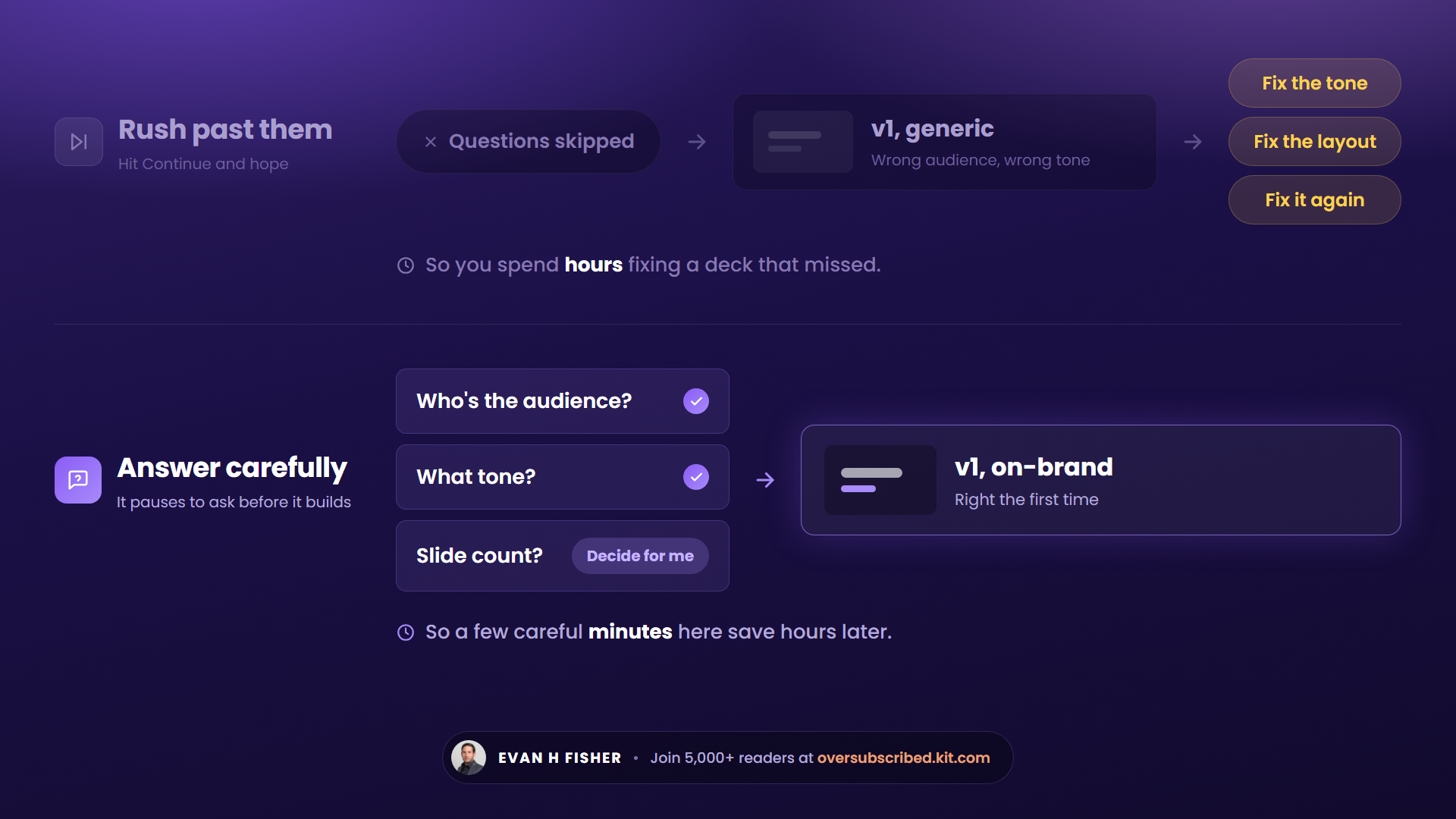
"Turn the attached talking points into a deck, and ask me anything you need before you build."
Claude pauses to ask questions before it builds. Answer them properly. 3 careful minutes here saves you hours of fixes later (and if you genuinely don't know, "Decide for me" exists).
Fix it once. It stays fixed.
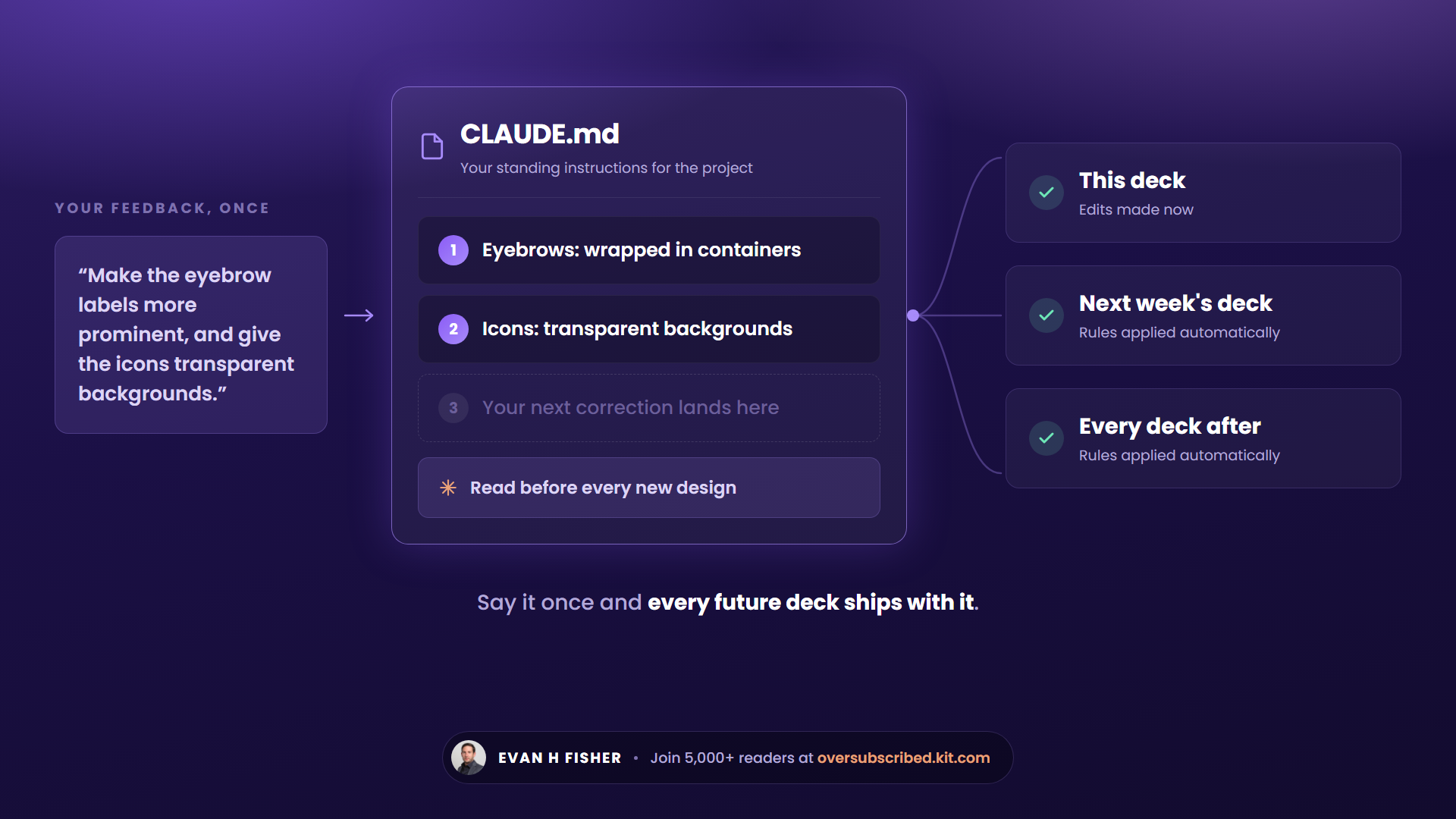
Your v1 already looks decent because of the prep. Two kinds of feedback push it further.
Kind 1: feedback that sticks. make Claude save it:
"Review my feedback below and in addition to making the edits, create a CLAUDE.md file you'll read for all future slide decks. As for the feedback: [your notes]."
CLAUDE.md is where Claude Design stores your standing instructions, and it reads that file before every new design. Your corrections compound: deck 5 starts where deck 4 left off. The trick: stay in the same project and start a new chat, or the file doesn't load.
Kind 2: surgical fixes.
- Edit: select an element and change it yourself (font size, color, bold).
- Annotate: draw on the slide and describe the change.
- Tweaks: a toggle for anything that touches every slide (logo on or off, slide numbers).
One thing in one place: Edit or Annotate. One decision across the whole deck: Tweaks.
Export it
Click "Share," open the Export tab. Take the standalone HTML file: double-click, it opens in any browser, and so can whoever you send it to. No PowerPoint, no permissions email.
(But I bet they’ll add PPT later)
Bonus: ask Claude Design to add a presenter-view button to the HTML, and your speaker notes open in a separate window for live talks.
Switching tools won't save you
Those 3 founders will switch tools, watch the slop follow them, and conclude AI "isn't there yet."
Because every AI tool works exactly like this one. Walk in empty-handed and you get the average of everyone else's empty-handed. Walk in with your rules, your files, your taste, and it builds with those instead.
The tool was never the variable. You are.
Set up your design system this week and reply with what your first deck looks like. I read everything.
PS. Made my kid's dino birthday invite in Claude Design this week and ngl, it's sick.
.png)
There are 4 ways I can help you:
02. Deep-dive Digital Courses for Founders — Courses teaching you to use AI to leverage your business, win more customers & grow your business faster.
03. 1-on-1 Business Owner Coaching — Build your stack. Find your best customers. Win them. Grow your business.
04. Promote Your Business to 5K+ Weekly Readers — Want to grow your audience, subscribers, or customer base? Showcase your brand inside of my newsletter.

