
goLance's AI runs a 48-scenario cultural fit assessment on every freelancer — so the person you hire clicks with how you actually work.
Security Consultant fast-tracks SOC 2 and PCI compliance. For founders who can't afford to wait, by consultants who've done it 100+ times.
Tons of business owners use Claude the way they used Google. Ask a question, read the answer, then go do the work yourself.
That’s OK... but it’s also the smaller half of what Claude does now.
.png)
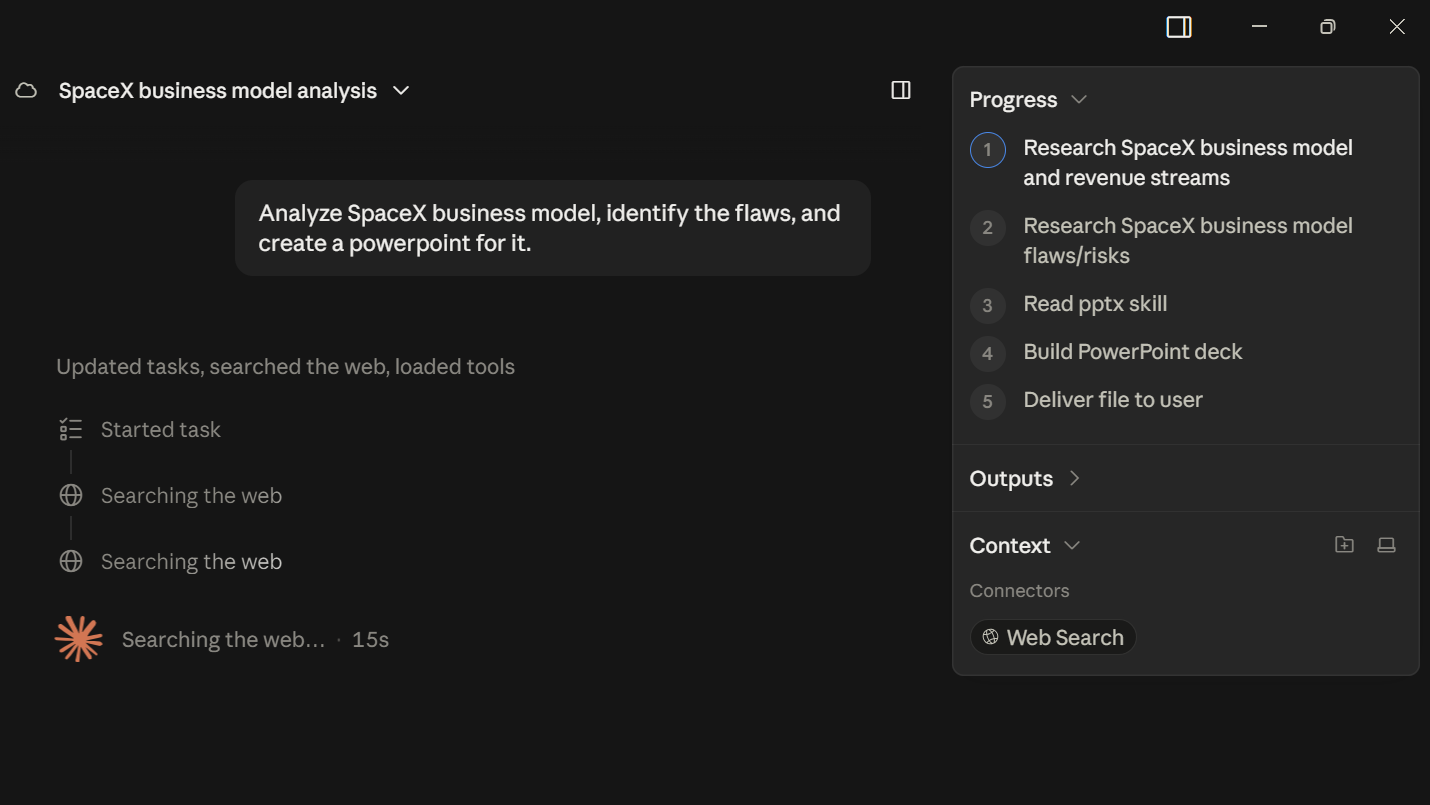
Cowork is the half that does the work. It sits in the Claude desktop app and goes and does the task.
So what you're doing is closer to briefing a manager than running a search. You hand over the job, it works out the how, and brings back the finished thing.
General rule of thumb: Chat is for conversations. Cowork is for workflows.
…And my other unhinged applications, like my example at the end of this 😉
Where most go wrong
- They forget they need it on. It's a small toggle under the chat box, or on the sidebar on mobile
- They ask Claude questions instead of handing it jobs, so it never gets anything with more than one step in it.
- They don’t push back and MAKE Cowork work
- They think it costs extra (It doesn't)
- They assume it needs a technical setup (It needs a folder and a goal… and maybe a few connectors)
Here's what actually changes when you switch.
What is Claude Cowork
.png)
Claude Cowork is an agentic AI assistant built into the Claude desktop app.
Give it a job that would eat your afternoon, like sorting 200 invoices or pulling the themes out of 40 sales calls. You give it a goal and come back to finished work.
You can watch the whole thing. Progress indicators show what it's doing at each step, and you can jump in to course-correct mid-task. It asks your explicit permission before it permanently deletes anything.
With Scheduled tasks, Claude can complete work for you automatically. With Projects, you can organize related tasks into persistent, self-contained workspaces with their own files, links, instructions, and memory.
You don't need a perfect brief. If something's missing, or it needs more from you partway through, Cowork stops and asks you a specific question before it carries on.
I like to turn on the microphone, and just ramble at it. I found out it’s much better than I’d expect at making sense of my disjointed thoughts.
The 6 things Cowork does that chat can’t
You'll recognize most of these from your own week:
1. It writes, edits, renames and organizes your files.
Point it at a folder and it works through what's in there, sorting by type or date, or turning a pile of receipts into an expense report. Hundreds of files at a time.
2. It builds the WHOLE deliverable.
Say an .xlsx where profit margin per product is a live formula, so you change one price and the whole sheet updates. Or a .docx proposal with the client's last 3 invoices already in the table. Same with .pptx and .pdf. All of it saved into the folder you gave it access to. Chat gives you something to copy out of a browser window.
3.It can use other apps.
Gmail, Drive, Outlook, Slack, Notion, HubSpot, Salesforce, DocuSign, Apify, Higgsfield. Cowork operates them mid-job the way you would: scrape the competitor sites, generate the video, save the file to Drive, update the record in HubSpot, draft the email. It can also open Chrome and work on websites, clicking, typing, navigating and filling in forms (you’re gonna tell me it’s unsafe but I like that part)
4. It handles the whole job end to end.
9 steps across 4 tools, and step 7 can't start until step 4 comes back with an answer. Cowork works out that order itself and carries each result into the step that needs it. You brief it once, at the start.
5. It works while you're away.
Start it, walk away, come back to finished work. Or put it on a timer so it runs at 6am Monday (before daily limits start) before you're at your desk.
6. It splits big jobs across several Claudes.
Each gets its own context and takes a different part of the work, all reporting into one session. It researches one section while it drafts another.
📌 Anthropic ships a Small Business plugin for Cowork with QuickBooks, PayPal, HubSpot, Canva and DocuSign built in. Payroll planning, monthly close. Turn it on from Customize in the sidebar.
3 Cowork prompts I'd run first if I ran your business
Three problems eat more of a business owner's week than anything else: money you're owed but nobody's following up, the pile of tickets and customer reviews nobody has time to read, and the slides you rebuild every Monday.
Prompt 1: find the money you're already owed
Matches every invoice against your bank statement, then writes the follow-up emails.
Act as my bookkeeper. Work out who still owes me money, and get the emails ready to send.
Read:
- Every invoice in [Folder/File] from the last 12 months
- The bank statement in [Folder/File]
- My Gmail, so you know who I've already followed up with
Then:
1. Build one spreadsheet: client, amount, how many days late, the last time I contacted them.
2. Write a follow-up email to each one, in my normal tone. Friendly under 30 days, firmer over 60.
Save them as drafts in Gmail. Don't send anything. If you can't match an invoice to a payment, put it on a "check manually" tab instead of guessing.
Most owners find at least one invoice nobody ever followed up on.
Prompt 2: find out what's actually losing you customers
Reads 90 days of support tickets and cancellation notes, then ranks the complaints by what they cost you.
Act as a blunt customer-retention analyst. Tell me why people are actually leaving.
Read:
- Every support ticket in [Folder/File] from the last 90 days
- Reviews and cancellation notes in [Folder/File]
- My CRM export, so you know which customers are repeat complainers vs. one-off
Then:
1. Group the complaints into 6 real categories max, not 20 vague ones.
2. Rank them by how often they show up AND how much revenue those customers represent.
3. Write the 3 fixes that would save the most revenue, in plain English.
Don't invent a category to pad the list. If two tickets are the same complaint, count them once.
Most owners can already name the complaint they hear most. This tells you which one is actually costing money.
Prompt 3: the report that eats your Monday
Turns last week's numbers into a 5-slide deck, then runs itself every Monday.
The common mistake is asking Chat to analyze last week's numbers, then building the deck yourself anyway.
That's the copy-paste tax Cowork kills.
Point it at the folder where your numbers live and let it build the slides:
Act as my analyst. Build the weekly numbers deck.
Read:
- Last week's numbers in [Folder/File]
- The same figures from the week before, so you can compare
Then:
1. Build a 5-slide deck: revenue, best-performing channel, biggest win, biggest drop, and one recommendation.
2. Flag anything that moved more than 15%.
Save it to [Folder] as a .pptx. If a figure is missing or won't reconcile, put that on the slide instead of filling the gap.
Then schedule it for 6am every Monday and stop writing it yourself.
You don't need to use Cowork for everything.
If you need a quick answer, open Claude Chat.
If you want to think through a problem, open Claude Chat.
But when you catch yourself thinking:
"Ugh. This is going to take me an hour."
That's when I'd try Cowork.
Give it the files.
Give it the outcome you want.
Then let it work.
Run prompt 1 this week and reply with what it found. I read everything, and I'll feature the best results (anonymized) in a future issue.
One thing I made my Cowork do: find all my wife’s future competitive dance competitors’ instagram profiles so we could see how they stack up vs her.
I also use Cowork for work occasionally. 😉
There are 4 ways I can help you:
02. Deep-dive Digital Courses for Founders — Courses teaching you to use AI to leverage your business, win more customers & grow your business faster.
03. 1-on-1 Business Owner Coaching — Build your stack. Find your best customers. Win them. Grow your business.
04. Promote Your Business to 5K+ Weekly Readers — Want to grow your audience, subscribers, or customer base? Showcase your brand inside of my newsletter.

